

Reference navigation
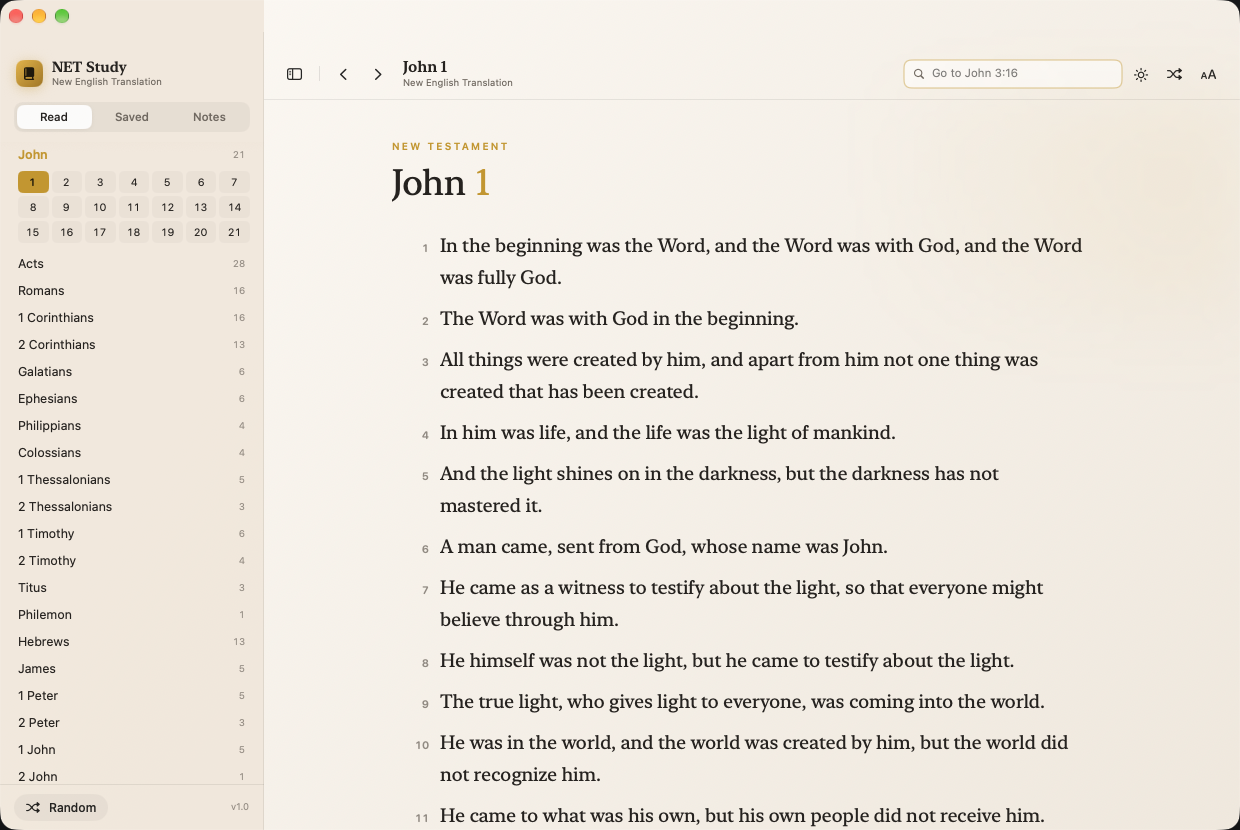
All 66 books with chapter grids, plus a “Go to” field that understands John 3:16, rom 8:28-39, Ps 23, and semicolon lists.
Native desktop app · macOS & Windows
A study Bible that gets out of the way. Full reference navigation, highlights and notes right on the page, and instant search across everything you have already read. Built on the public NET Bible API.
The reading experience
Warm parchment, real serif type, generous leading. Set the text size, column width, and appearance once and the app stays quiet.
What it does
All 66 books with chapter grids, plus a “Go to” field that understands John 3:16, rom 8:28-39, Ps 23, and semicolon lists.
Serif or sans, adjustable size and measure, light, dark, or system appearance, with line spacing that lets a paragraph breathe.
Click a verse number to highlight in five colors, bookmark it, copy with the reference, or write a note that lives beside the text.
Bookmarks and study notes collect in the sidebar and jump straight back to the passage, so a thread of thought is never lost.
Every passage you open is cached to disk. Your recent readings and searches still work on a plane, a train, or a bad hotel Wi-Fi.
Not sure where to land? Open a verse chosen for the day, or pull a random passage and start reading.
Search
Type three or more characters that are not a reference and the app searches every cached passage. All words must match, case and accents are ignored. Arrow keys move through results; Return opens the verse and scrolls to it.
Install
The app is ad-hoc signed, not notarized, so Gatekeeper asks once. No luck? Clear the flag:
xattr -dr com.apple.quarantine "/Applications/NET Study.app"
Requires macOS 14 or later on an M1 or newer. There is no Intel build. Prefer to compile it? ./build.sh produces an app with no quarantine prompt.
The installer is unsigned, so SmartScreen may warn you the first time. Choose More info → Run anyway.
No admin rights required. A portable build exists but is not published, since antivirus engines flag it.
Download .exe Source on GitHub →git clone https://github.com/NET-Study/netstudy-electron.gitcd netstudy-electronnpm run dist:linuxEverything reachable without lifting your hands.
Coming soon
Translator’s notes and study notes are on the way, sitting quietly beside the text where they belong. Until then, everything you highlight and write is yours, stored locally.
Follow the org on GitHub